Blog
How to use the “Annotation Tool Online”
How to Use the “Wildlife Detection Model”
https://ai.zeyuxu.com/#annotation-online
- Upload an image (supports large images)
- Use zoom/pan controls for navigation
- Select a class and draw boxes
- Click and drag to create boxes
- Click boxes to select/edit
- Drag handles to resize selected box
- Use Auto Detect for initial boxes
- Edit auto-detected boxes manually
- Download YOLO format results
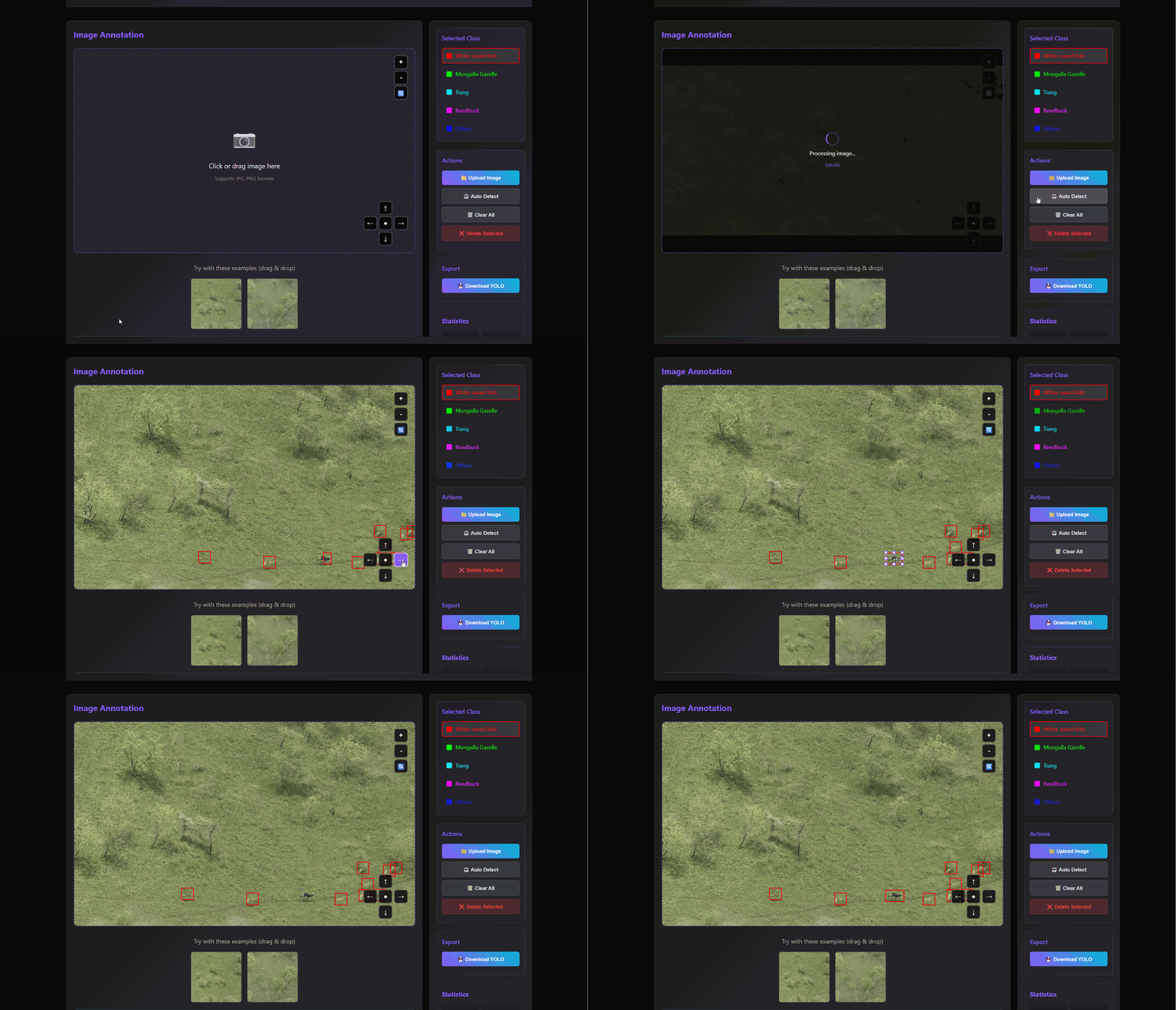
This is an AI-assisted online annotation tool specifically designed for wildlife detection. The tool provides a user-friendly interface for creating, editing, and managing bounding box annotations on images. Here are its key features:
1. Image Handling:
- Supports uploading images through drag-and-drop or file selection
- Handles large image files efficiently
- Includes example images for quick testing
- Provides zoom and pan controls for detailed annotation
2. Annotation Capabilities:
- Manual drawing of bounding boxes
- AI-powered automatic detection feature
- Five predefined wildlife classes:
- White-eared Kob
- Mongalla Gazelle
- Tiang
- Reedbuck
- Others
- Each class is assigned a distinct color for easy identification
3. Box Management:
- Click and drag to create new boxes
- Select boxes for editing
- Resize boxes using corner and edge handles
- Delete individual boxes or clear all annotations
- Real-time statistics showing total boxes and selected box
4. Advanced Features:
- Interactive canvas with crosshair cursor
- Responsive design that adapts to different screen sizes
- Keyboard shortcuts for quick actions (Delete/Backspace to remove boxes, Escape to deselect)
- Export annotations in YOLO format for machine learning applications
5. User Interface:
- Dark theme for reduced eye strain
- Clear visual feedback for active selections
- Intuitive controls with hover effects
- Loading overlay with progress indication during AI detection
- Helpful instructions and demonstration GIF
The tool is particularly suited for wildlife researchers and data scientists working on wildlife detection projects, offering a balance between manual precision and AI-assisted automation.